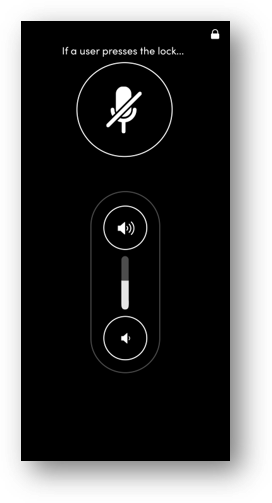
Room control is a Nureva App feature that provides quick and easy access to basic audio settings in Nureva HDX series devices. This feature can be used as a controller for quick volume adjustments by presenters and meeting participants in the room.
With room control, a user can:
Adjust the speaker volume
Mute or unmute the microphones
The Nureva App can be configured to restrict access so users see only the room control page, providing simple audio controls without access to other features.
Opening the room control page
The room control page is accessed directly from the Nureva App home page. Just tap the control icon to open the page.
Restricting access to the room control page
When setting up room control for an in-room presenter or another user, the page can be locked to prevent access to the rest of the app. There are two ways an administrator can set up this lock — a single-session lock and a persistent lock.
Single-session lock
Tap the lock icon on the room control page.
Press Confirm on the prompt to lock to the room control page.
The Nureva App will remain on the room control page, preventing access to the rest of the Nureva App features.
To unlock the room control page and return to the full app, tap the lock icon again and enter the device password.
This lock is session based, so when the app is closed or the Nureva device is restarted, the Nureva App will open at the home page.
Persistent lock
Open the Nureva device settings menu.
Select System settings and then room control.
Slide the toggle for Show room control after connecting to lock the room control page.
When this lock is enabled, any user connecting to the device through the Nureva App will be restricted to the room control page. To unlock the room control page and return to the full app, tap the lock icon again and enter the device password.
For persistent setups (such as a tablet in a meeting room), we recommend exploring the kiosk mode options offered by the operating system for the computing device or keeping the computing device powered on and dedicated to the remote screen.