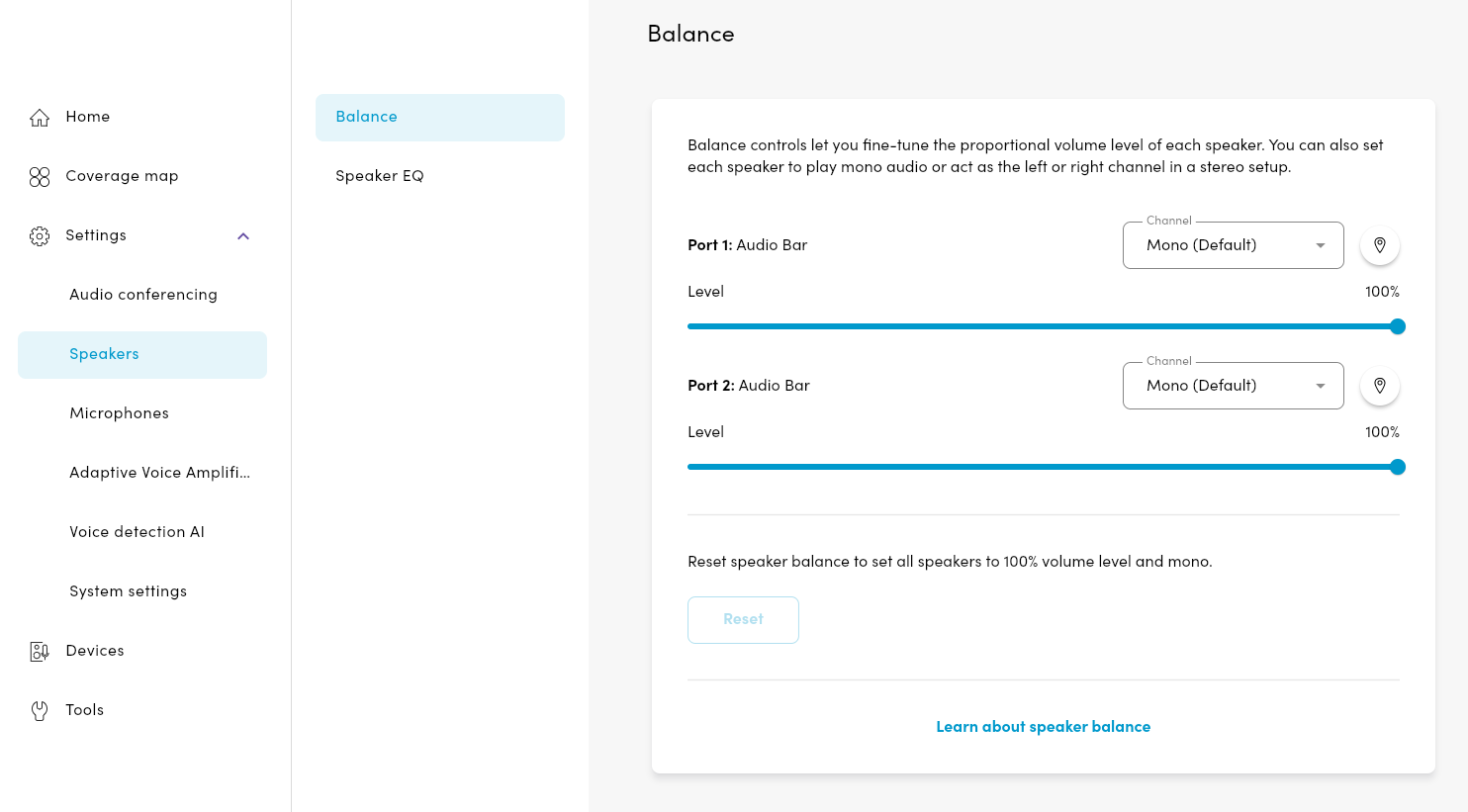
Balance controls for the Nureva HDX system allow speaker output to be adjusted for more consistent sound distribution throughout a space. This is especially useful in rooms where audio bars are placed unevenly or where acoustics affect how sound is perceived. Each speaker’s volume can be adjusted independently to support even coverage.
Available options include:
Mono, which provides uniform sound across all speakers.
Stereo, which assigns left and right channels for a more immersive listening experience.
These settings help align audio performance with room layout and listening requirements.
Adjusting the speaker balance
Speaker balance adjustments can be made in the Nureva App and Nureva Console. When using Nureva Console, select the Room where the device is located before continuing with the steps.
To adjust the speaker balance:
Open the Settings menu.
Select the Speakers page.
Choose the Balance setting.
Make Adjustments as needed until the audio sounds balanced across the room.